Music Spotify doesn't have
Spotify can play files from your own device, but only if they're tagged well enough for it to group them. People who have music Spotify doesn't, like demos, DJ edits, rips and their own bounces, end up with albums split into pieces, missing covers and artists shown as raw strings.
The design question became: how do you make tagging audio for Spotify feel like one calm task instead of three tools and a forum thread?
The product brief set the shape of the work:
- The core task is short: drop files, fix titles, artists and cover, see "Ready for Spotify", export.
- The promise comes first: files never leave the device. The one exception, Link a device, is end-to-end encrypted.
- It works on a phone and a laptop, because the audio is usually on one and the Spotify app is on the other.
- It's trustworthy before it's clever. Dark, a little playful and plain-spoken about what it does with your files.
Everyone edits tags, nobody checks the album
I compared the tools people already use for this job. They're good at what they're built for, but none was built for getting a pile of unreleased audio into Spotify.
| Tool type | Strength | Gap for this job |
|---|---|---|
| Desktop tag editors (Mp3tag, Picard, Kid3) | Every field, batch actions, lookups | Desktop only, no conversion, and no idea why a Spotify album splits |
| Mobile tag editor (Evertag) | Clean, readable, batch mode | iOS only, no conversion, no album-consistency check |
| Drag-and-drop bridges (WALTR PRO) | Converts and fills metadata on the way in | Paid, built for Apple's apps, needs a cable or bridge |
| Online converters | Nothing to install | Your unreleased music is uploaded to a stranger's server, with ads, size caps and tags as an afterthought |
Check the whole album
Every tool edits tags. None tells you the album will split, because a guest artist with no album artist, or one cover that differs, breaks the group.
One trip, not three
People convert in one tool, then find the converter stripped the tags. Converting and tagging belong in one place.
Privacy as a fact
Running everything in the browser means the claim can be checked in the network panel instead of taken on faith.
The album is the unit, not the file
The central decision was where each field lives. Album fields (title, album artist, year, genre, compilation, cover) are stored once on the album and written identically to every track, so they can't drift apart. Track fields (title, artists, track and disc number) sit on the track.
Beside the album sits a live check. It reads "Ready for Spotify", or it lists what's wrong, each problem with a one-tap fix: fill in the album artist, number tracks in order, add a cover. The tag hanging off the cover is the same one in the logo, so the status feels like part of the object instead of a warning banner.
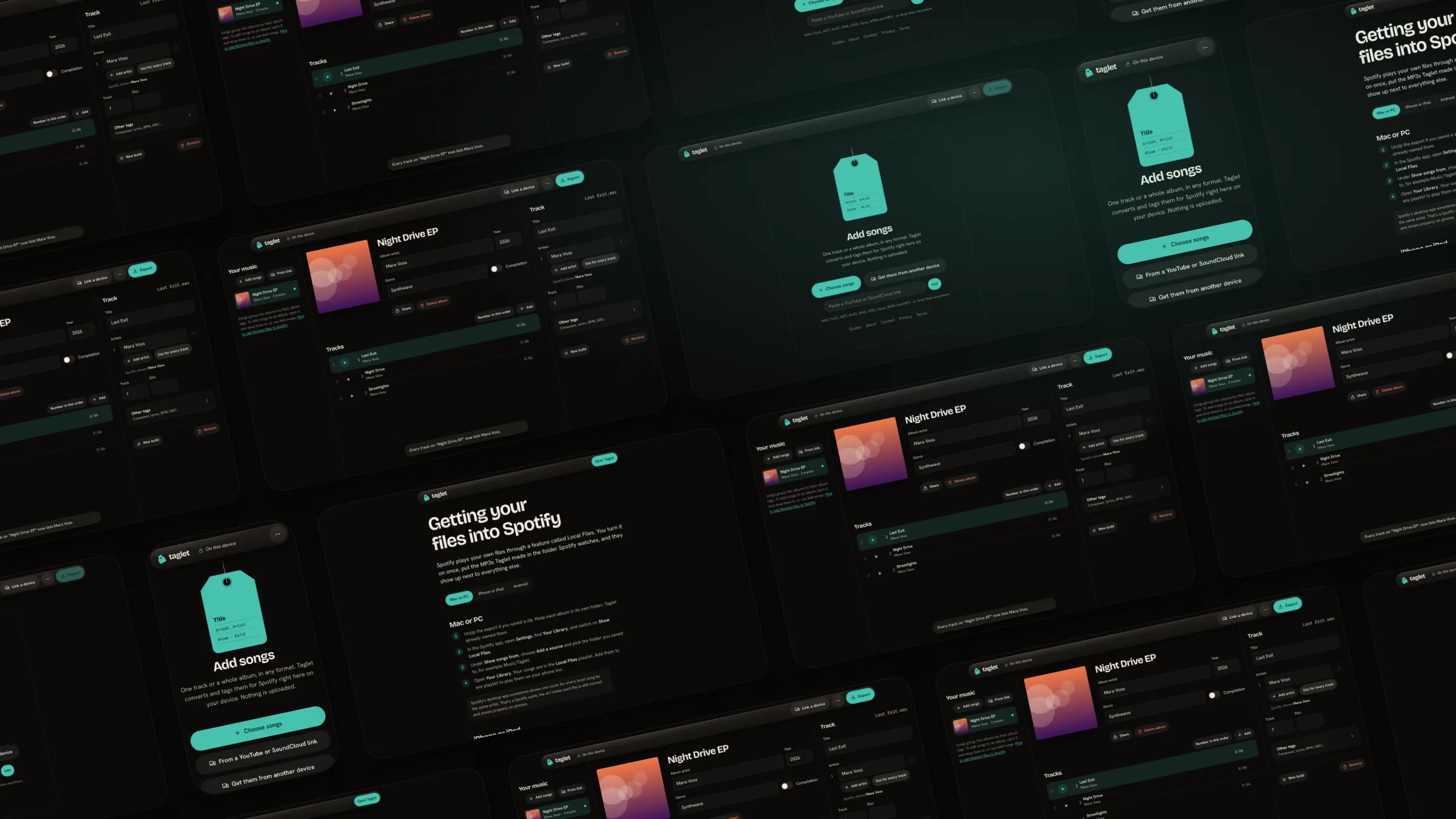
Before: 3 to fixThree songs dropped in. The album check lists each problem with a one-tap fix.
After: readyAlbum fields filled in once, applied to every track. Artists are previewed the way Spotify will show them.
A tag on a string in a dark room
A taglet is a small tag. The brand is a patina-green tag hanging on a string: warm, handled, a little playful and plain-spoken. Dark suits the use scene, sorting music late on a laptop or in bed on a phone, and it lets album art be the brightest thing on screen.
The accent is Patina, the blue-green copper turns with age. I picked it over a first-draft manila gold, and it stays clear of Spotify's green on purpose. A second colour, Signal, appears only when something needs fixing. The usual "AI app" accents (indigo-violet gradients, neon on black) were ruled out.
Glass is only on the floating control layer, and the current album's art is blurred into the room behind it, so the bars take on that album's colours. Content is never glass, and lists are lists, not card grids.
Mood
Warm, calm and handled, with a little play.
Anchor
A tag on a string. It leans toward the pointer, swings when files arrive and knocks once when an album is ready.
Audience
People with music Spotify doesn't have, on a phone and a laptop.
Voice
Plain words, sentence case, second person. Buttons say what will happen.
Bricolage Grotesque
Headings, album titles and the wordmarkHanken Grotesk for every control
Body text, labels and buttonsJetBrains Mono · 01/12
Only data: track numbers, durations, file names, pairing codesLive brand sheetThe style sheet ships with the app, so the tokens are checked against the real thing.
The first screenIt opens straight onto the upload screen. No sign-up, no tour.
Calls that shaped it
These are the decisions I'd defend in a review, and why I made them.
One field per artist
Tools write "A feat. B", "A/B" or "A; B" inconsistently, and Spotify shows the raw string. Each artist gets their own field, written as "A, B, C" the way Spotify shows its own catalogue. A preview line shows the exact string, and one button applies the same artists to every track.
MP3, and say why
"Which format does Spotify want?" is a forum question. Taglet converts to MP3 at 320 kbps (or V0) and explains why in one sentence. MP3s you add are only re-tagged, never re-encoded, so they keep their quality.
Gapless by default
Encoders add silence at the start and end of a track. Sources are decoded with that removed and every MP3 carries a gapless header, so an album meant to flow doesn't click between songs. An optional switch trims silent edges.
Untagged files form one album
The first audit showed that untagged files dropped together each became their own album, which worked against the main promise. They now form one album, and a lone untagged song becomes a single named after itself.
New builds replace, not duplicate
Drop an updated render of a song you've already tagged and Taglet matches it by file name or title. You confirm before anything is replaced, and the new audio keeps the title, artists, number, album and cover, so Spotify replaces the old file. Every replacement can be undone.
Link a device instead of a cloud
The audio is on the laptop, the cover is in the camera roll and the files need to reach the phone. A QR code or a 10-character code pairs two browsers and sends songs or images either way, end-to-end encrypted. The relay only sees ciphertext.
Behave like an app on a phone
It installs to the home screen, works offline and, once installed, drops zoom and pull-to-refresh and uses bottom sheets you drag to dismiss. On a phone the album cover morphs between the list and the album.
1. Add songsOpen it and drop songs in. Nothing to sign up for.
2. See what to fixThe album check appears as soon as songs are in.
3. ReadyThe same album on a phone, with a dock for Add, Link and Export.
No framework, no build step
Taglet is static files and one small Cloudflare Worker. Decoding and encoding run in ffmpeg.wasm on the visitor's device, and a tag writer, a metadata parser and a store-only zip writer are plain JavaScript with their own tests. The Worker relays encrypted device links, stores encrypted share links for 30 days and handles optional sign-in.
Privacy is built into the architecture, not only the copy. Share links are encrypted on the device with AES-GCM before upload, and the key lives in the link's fragment, which a server never sees. Usage is counted anonymously with no cookies, and no file names, titles or emails are ever stored.
- 0Files uploaded to convert or tag a song
- 30 daysShare links kept, as ciphertext only
- 9+Input formats converted to MP3
Audited, fixed, measured again
I audited the live site on 10 November 2026 at 390 by 844 (touch) and 1440 by 900, against WCAG 2.2 AA, Nielsen's ten heuristics and my own brand sheet, using automated probes plus keyboard and reading passes. The first pass found six issues. All six are fixed and re-measured.
| Issue | What I measured | Fix |
|---|---|---|
| Footer links too small | 21px tall, against a 44px house rule | Links are now 44px tall |
| Select named by its options | Accessible name swallowed every option | An explicit label |
| Low-contrast duration | 4.24:1 on the selected row, needs 4.5:1 | Selected rows use a lighter paper tone (8.5:1 or better) |
| No h1 in the editor | Heading outline began at h2 | A visually hidden h1 |
| Analytics beacon injected | Contradicted the privacy page's "no analytics" and tripped the CSP | Pages are served with no-transform so nothing is injected |
| Every untagged file its own album | Worked against the main promise | One album per drop, a single for a lone song |
- 6/6First-pass issues fixed and re-measured
- 4.5:1+Text contrast on every measured node, 16 to 66 per page
- 0Contrast, tap-target, heading or overflow failures in the final pass
What I haven't verified
An audit finds inconsistency and broken rules. It can't say whether the album check actually calms someone down, and some things I haven't been able to test yet.
- A real iPhone and a real Android phone. Phone checks used Chrome's touch emulation at 390px.
- Link a device across two networks. I tested it between two tabs on one machine. It relays through Cloudflare, so network address translation shouldn't matter, but I haven't measured cellular to Wi-Fi.
- How Spotify itself displays the exported files. I checked the tags by reading them back with ffmpeg.
- Usability testing with people who actually have unreleased music to get into Spotify.
The decision I'd repeat is making the album the unit. Fields stored once, a check on the whole album and a status that's part of the cover made the rest of the interface simpler. The weak spot is that I audited my own work. If I did it again, I'd put it in front of real musicians before writing the audit.